
At our company, we have been working with humanoid robots for a while, and Pepper has been our go-to for the past few years. However, we attended a work...


Since 2019, we have been working with Pepper, a humanoid robot. However, we recently decided to conduct research on its smaller counterpart, NAO. We attended a workshop conducted by Weegree One (opens in a new tab), where we learned a great deal about using and programming the NAO robot. During the workshop, we gained insights into its various applications, functionalities, and usage techniques. We believe that sharing an introduction to NAO would be beneficial for those who are interested in this topic.
NAO is a 60 cm tall humanoid robot created by a company called Aldebaran Robotics (opens in a new tab). Based in Paris, France, the firm is a part of the United Robotics Group (opens in a new tab). First released in 2008 and has had several new versions made since then. Broadly used in education and research, it had his shot at sports as well. This type of robot has even a whole robotic football league, RoboCup (opens in a new tab).
Source: YouTube @RoboCupSPL (opens in a new tab)
The robot has 7 touch sensors in its head, hands, and feet. Additionally, it uses sonars, two 2D cameras, and an internal unit for self-localization and mapping of the space it’s surrounded by. It has built-in microphones and speakers that make interaction with people easier. On top of that, it understands what you’re saying, and it can even talk back to you in 20 languages.
NAO is easily programmable with Choregraphe (opens in a new tab) application and Python. Choregraphe is a multi-platform desktop app that allows you to create animations and behaviours, but also monitor and control NAO. You’ll be able to check the battery level and other settings right through that software.
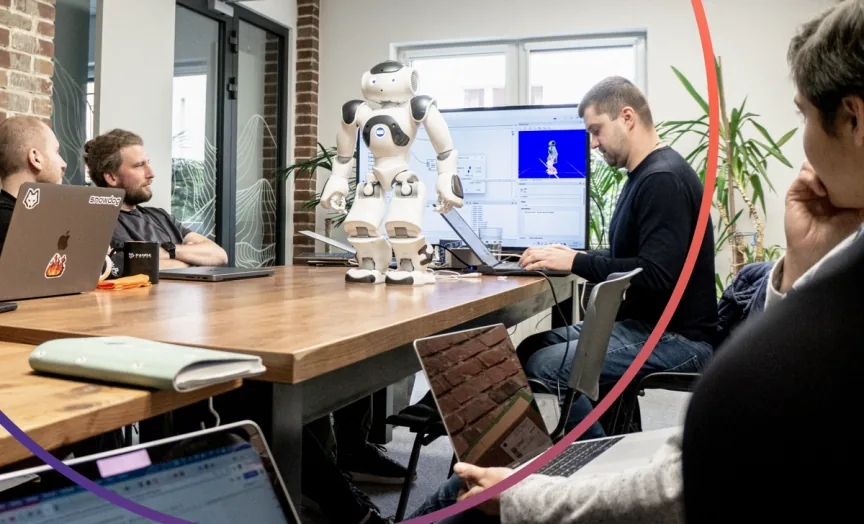
What’s interesting is, you don’t even have to have a real robot in order to work with it, because you can test it on a simulated robot in the app. Thanks to that system, you can create movement without coding, but if you want to create additional and more complex movement patterns, you can add your own Python code.
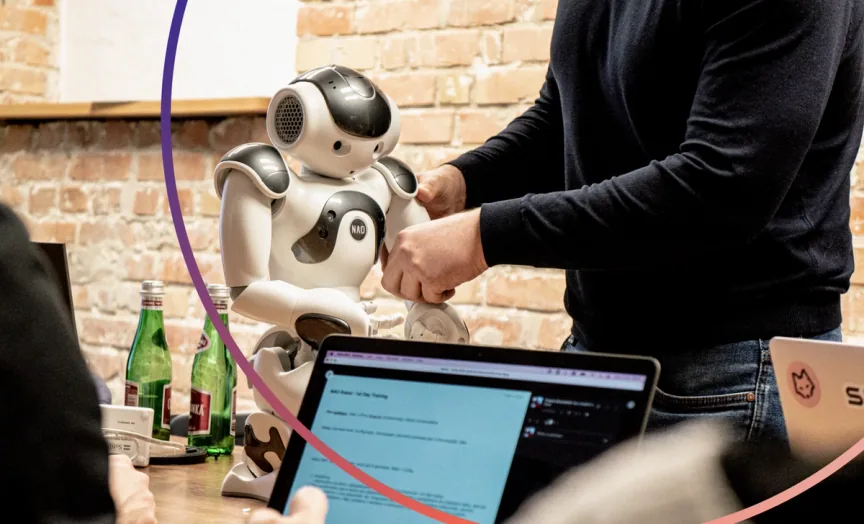
Well, the robot is very mobile and can move pretty well. Example? Recently, it became a Tai Chi teacher (opens in a new tab). It’s also capable of grabbing soft and light objects. It recognizes faces and speech. Moreover, it can have a dialogue with a user.
NAO can be used in many environments and situations, but we’ll give you a few examples:
Source: YouTube @TexasChildrensVideo (opens in a new tab)
In my next blog post, we will show you how to design a simple animation of the NAO. Stay tuned!

The eCommerce agency behind 100+ high-stakes projects, ready to build yours.