Are you tired of carrying around a bulky wallet filled with countless cards, receipts, and other bits and pieces? Snowdog's UX team has taken on the cha...

Snowdog's UX team took on the challenge of a UX sprint to develop a digital wallet app. As people carry fewer and fewer physical wallets containing numerous cards, receipts, and other miscellaneous items, an ideal digital wallet app would allow users to simply "set it and forget it." This app would hold the most crucial documents such as identification, bank and credit cards, enabling users to leave the house without any worries. Rather than constantly vying for the user's attention, this app permits users to add only the necessary items, making them instantly accessible whenever required. The Snowdog Design team created this concept app as a self-development exercise.
Our task was to create an ideal wallet according to an Uplabs challenge (opens in a new tab). To challenge ourselves further, we aimed to complete within just a few hours of work every Friday over two weeks.
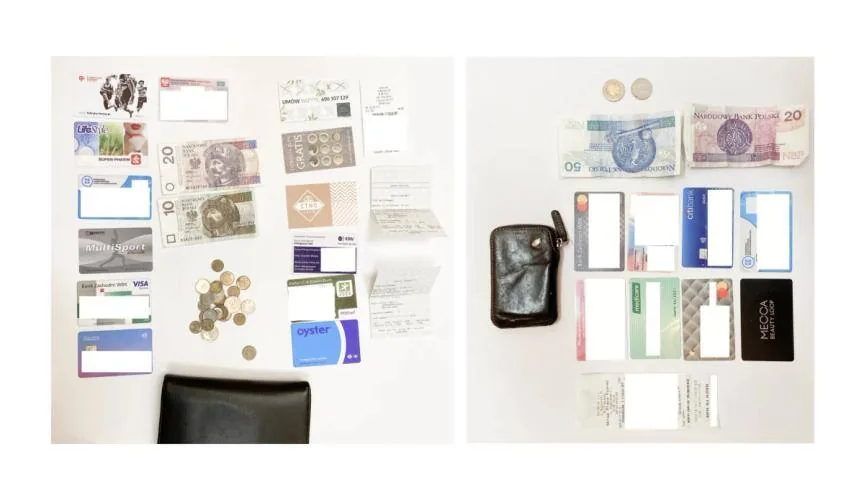
We started working on the project by checking the contents of our wallets and conducting several interviews with colleagues from the office. During the research, we found that some people do not carry a wallet, as they have replaced most wallet features with a mobile phone, while others have over-stuffed wallets with unnecessary things. We’ve found that there are two types of stuff in our wallet, important, critical ID and documents, and then extra cards or papers that relate to our daily life, loyalty cards, membership cards, etc.
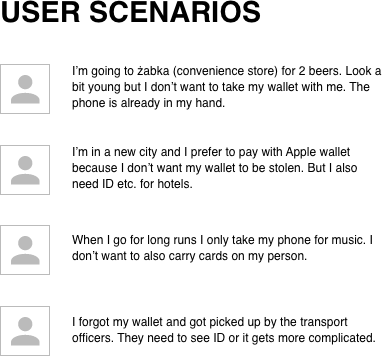
We decided to focus on a group that doesn’t carry a wallet at all, and we’ve developed several User Scenarios.
Based on our brief research online and quick interviews, we created a mindmap, helping us narrow the scope of this challenge to a few priorities. We aimed to focus more on wallets as holders of our most crucial information as we go about daily business, rather than the storage area for lots of junk.
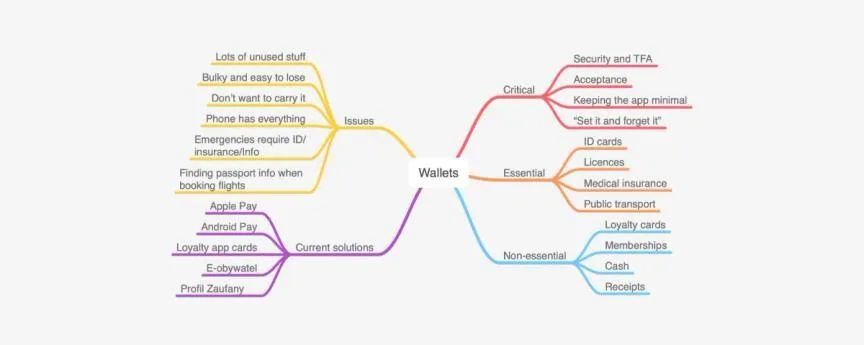
Our research and short interviews showed us that while more and more people want to leave the wallet behind and have all the necessary functionalities on their phone, there is still the problem of needing to carry physical ID for real-life situations. For example, getting a traffic fine, public transport controls, car insurance in the case of an accident, and more. People also tend to carry their wallet with them when traveling in a different city or country, probably because they feel something might happen and they will need important information at hand.

We noted that these cases are often highly exceptional circumstances that don’t occur frequently, but when they do, it’s extremely inconvenient to be without your wallet. It could even lead to further loss of money or time. The problem is that the inconvenience of taking a wallet everywhere (often with useless things inside) often outweighs the necessity of having your personal documentation on your person at all times.
Therefore, we aimed to solve this issue with a wallet app that would provide a digital version of essential data that it is always available to the user, when they need it. We deliberately chose to keep this app as simple as possible to avoid overloading with non-essential information (loyalty, membership cards, receipts) because we want the app to be light and sit in the background, ready to use with all essential cards easy to access.
Our idea is an application where the user can add all the information he needs and use it in the least expected moment, such as tram ticket control. We began to think about the features and functionalities of our application.
What types of cards, data can be stored in our application?
Once we had our solutions and ideas down, we moved onto sketching these into reality. We listed the essential screens, and got to sketching. This is probably the hardest part to do in such a compressed time limit.
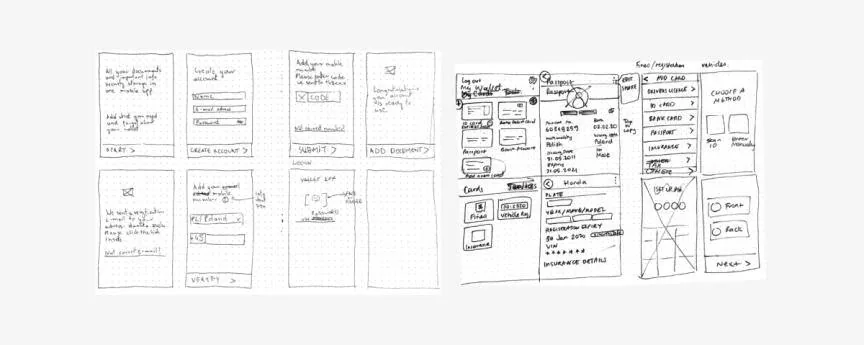
To speed up the process, we used some free UI tools to generate some quick, high fidelity mockups over 2 hours. We aimed to a clear and minimalistic design. The point of the app is to reduce junk, not add to it.
You can check out our final entry here on UpLabs (opens in a new tab).
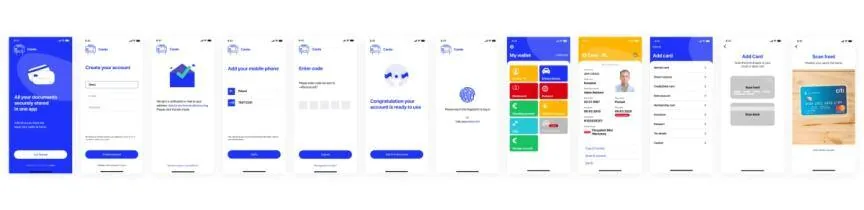
Our graphic designer took our mockups and created an interface for the mobile app. We think the final design reflects really well our solution; a simple, minimal wallet that gives you peace of mind and can provide critical information in less than a minute.
You can click through the prototype here. (opens in a new tab) We hope you like it!
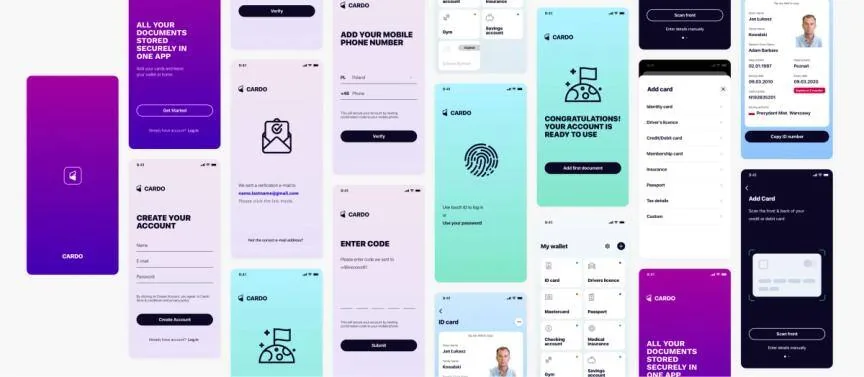
Graphic Designer | Vasyl Minin
UX Designers | Danuta Sęczkowska & Clara Shen
The eCommerce agency behind 100+ high-stakes projects, ready to build yours.